

Most marketers treat YouTube as a place to publish videos. Fewer treat it as a search engine, which is where YouTube SEO earns its keep: it decides whether a video keeps collecting views months after upload. Pew Research Center found YouTube to be the most widely used online platform in the United States, with 84% of US adults saying they use it.
Video visibility no longer stops at YouTube either. Google’s AI Overviews cite YouTube more than any other website, at 21.1% of all citations in Ahrefs‘ July 2026 snapshot. One well-optimized video can rank in YouTube search, appear in Google results, and get quoted inside an AI answer.
This guide covers how the ranking system works, which optimizations move it, and how to read your analytics to see whether the work paid off.
What is YouTube SEO?
YouTube SEO is the process of optimizing your video content, metadata, and channel so your videos rank in YouTube’s search results, and so those same videos earn visibility in Google and AI-generated answers.
Two things have to happen for a video to rank. YouTube needs to understand what the video covers and who it serves, and viewers need a reason to click it and keep watching. Understanding what YouTube SEO is helps you see how these two goals work together.
The work breaks into four areas:
- Keyword research: Find the phrases your audience types into the YouTube search bar, then commit each video to one primary query.
- Packaging: Write the title and design the thumbnail that turn an impression into a click.
- On-video structure: Add chapters, accurate captions, and a description that viewers and machines can both follow.
- Measurement: Read impressions, click-through rate, and retention, then let those numbers decide the next upload.
Optimization has one hard limit. It amplifies a video people want to watch and cannot rescue one they do not, because YouTube weighs what viewers did after they clicked. A perfectly titled video that answers the wrong question loses its ranking within days of gaining it.
How is YouTube SEO different from Google SEO?
Google ranks a web page mainly on content relevance and the authority of the site hosting it. YouTube SEO ranks a single video mainly on relevance plus how satisfied viewers were after they clicked.
The click also sits in a different place. Google decides the ranking first and the click follows, while YouTube shows your video to a small group, watches what those people do, then decides how far to push it. Your thumbnail produces the evidence that ranking system reads.
| Ranking Factor | Google Search | YouTube Search |
| What gets ranked | A web page | A single video |
| Main relevance signal | Page content and links | Title, description, tags, and the video itself |
| Main performance signal | Clicks and satisfaction with the page | Watch time for that video on that query |
| Role of packaging | Helpful | Central, because the click feeds the ranking |
| Personalization | Limited | Strong, based on search and watch history |
The consequence shows in how each platform treats a weak performer. An authoritative site can hold a Google position for months with a mediocre page. On YouTube, a video nobody clicks generates no evidence, so the system stops serving it. This is also why growing a YouTube channel requires more than simply publishing videos.
How does YouTube search work?
YouTube’s algorithm prioritizes three elements: relevance, engagement, and quality. Their importance varies by search type, so none of them works as a universal lever.
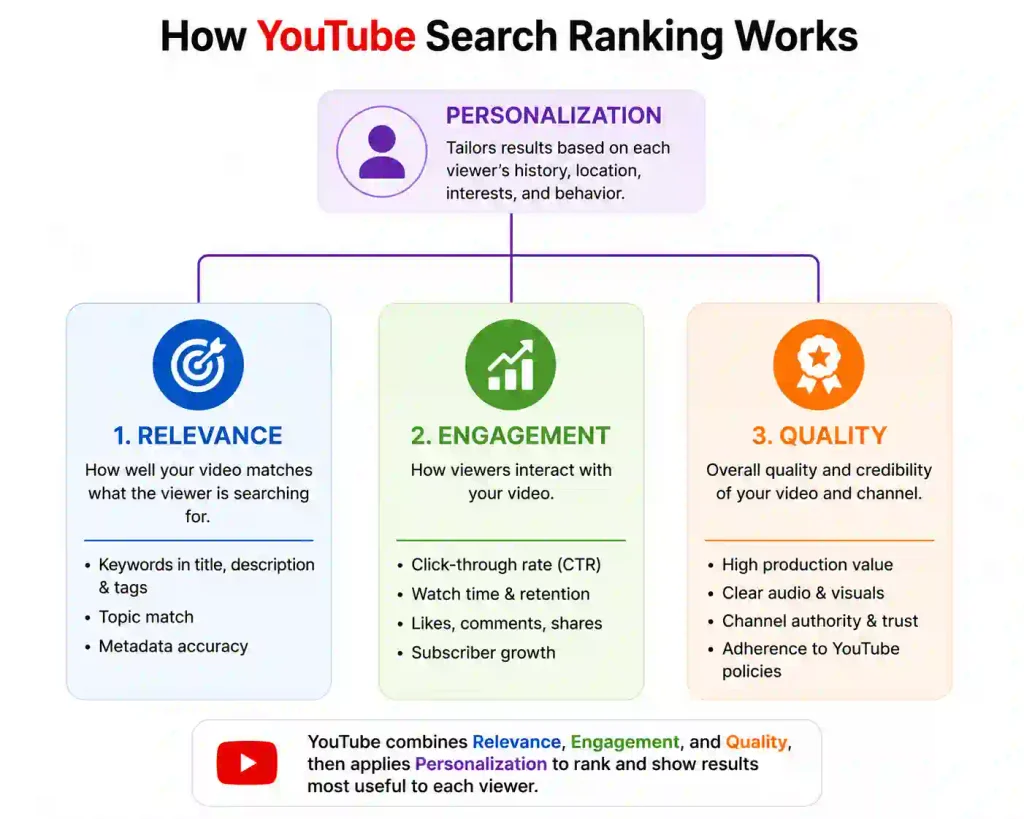
- Relevance: How closely your title, tags, description, and the video itself match the words someone typed. Topic proximity is not enough, so a video on email deliverability will not surface for “email marketing strategy.”
- Engagement: Aggregate signals, such as the watch time a video earns for a particular query, which tell YouTube whether other viewers found it relevant to that search.
- Quality: Signals that identify which channels demonstrate expertise, authoritativeness, and trustworthiness on a given topic.
Engagement is the element most creators misread. Watch time is assessed against the query, not against the video in isolation. A cooking video can hold attention beautifully across its whole audience and still lose position for “how to poach an egg” when the people arriving from that search leave after twenty seconds. The fix is answering the query faster, not designing a better thumbnail.
Quality changes your content plan, not just your metadata. YouTube assesses expertise at channel level, which gives a channel covering one subject thoroughly an advantage over one covering ten lightly, so topic focus is a ranking consideration rather than only an editorial preference. Personalization then sits on top of all three, meaning two people searching the same phrase see different results depending on what they have watched. Track whether search traffic to a video is growing instead of chasing a fixed position.
How is search different from suggested and home?
Search is the only surface where a viewer has told YouTube what they want. Home and suggested are YouTube predicting what someone will watch next, drawing mainly on watch history and the video currently playing. (Source – how YouTube works for you)
That split prevents a common misdiagnosis. A video often ranks well in search while barely appearing on anyone’s homepage, and creators read that as failure. Search rewarded a clean topic match, while the recommendation system has not yet seen enough evidence that the video holds attention across a wider audience. YouTube SEO gives you direct control over search, while YouTube channel optimization helps build the broader signals that support recommendations.
Why does YouTube SEO matter in 2026?
YouTube SEO matters because one optimized video can now earn visibility on three separate surfaces: YouTube search, Google search results, and AI-generated answers.
Reach makes the first part of the case. That 84% figure from Pew Research Center was the highest for any platform in its 2025 survey of 5,022 US adults, and roughly 90% of US teens report using YouTube as well. Demand for almost any subject already exists on the platform.
How people watch has shifted too. Alphabet reported in its Q1 2026 earnings remarks that US viewers watch more than 200 million hours of YouTube a day on television screens. Living room viewing rewards a different kind of video than a phone-first feed does, and a thorough fifteen-minute walkthrough is no longer the handicap it once looked like.
Newer than either is the citation shift. Ahrefs found YouTube leading every publisher and reference site in Google’s AI Overviews at 21.1% of citations in its July 2026 snapshot, a figure refreshed monthly and best read as a current reading rather than a settled number. When someone asks a question and takes the AI summary without clicking a blue link, YouTube is the source most likely to be quoted back to them.
How do you find the right keywords for YouTube?
YouTube keyword research means finding the exact phrases your audience types into the platform, then choosing one primary query per video that you can satisfy better than the videos currently ranking for it. Start inside YouTube Studio rather than a third-party tool, because the platform gives you its own search data at no cost across a rolling 28-day window.
Three sources cover most of the ground:
- YouTube Studio search data: Studio surfaces searches happening across the platform, searches your own and similar audiences are making, and content gaps where viewers could not find a satisfying video. Naming and placement have changed more than once, so check the Analytics tabs rather than a fixed menu path.
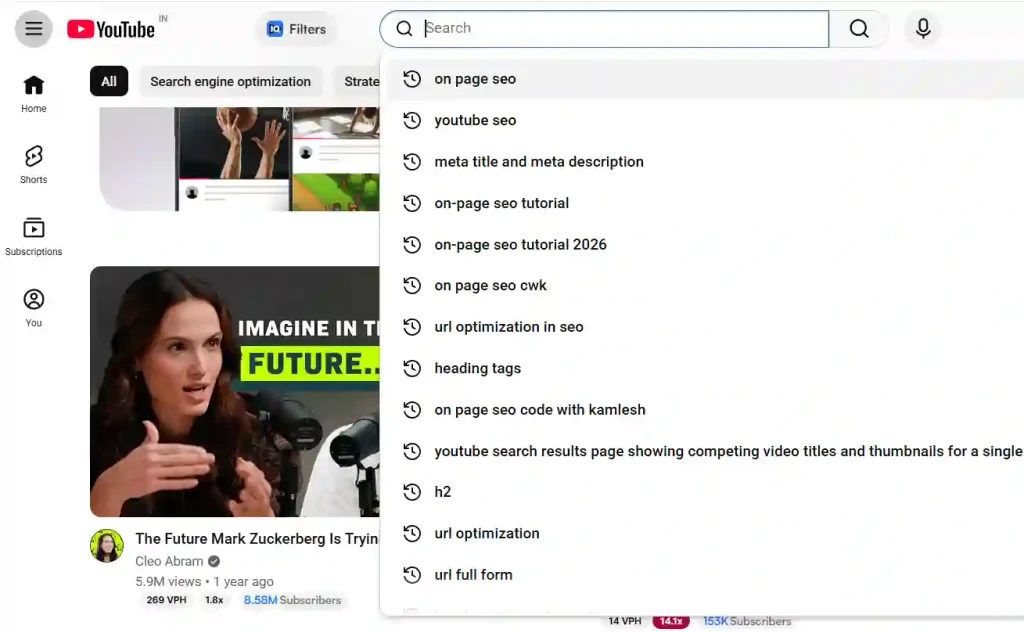
- Autocomplete: Type your topic into the search bar and read the completions. Phrasing runs more conversational than on Google. Somebody searches “seo audit checklist” on Google and “how to do an seo audit for a client” on YouTube.
- The results page: Videos already ranking tell you the format the query wants. Ten-minute screen recordings filling the top of the page mean YouTube has decided that search wants a walkthrough.
- YouTube SEO tools: Use YouTube SEO tools such as vidIQ to compare search demand, competition, related keywords, and keyword opportunities before committing to a video.
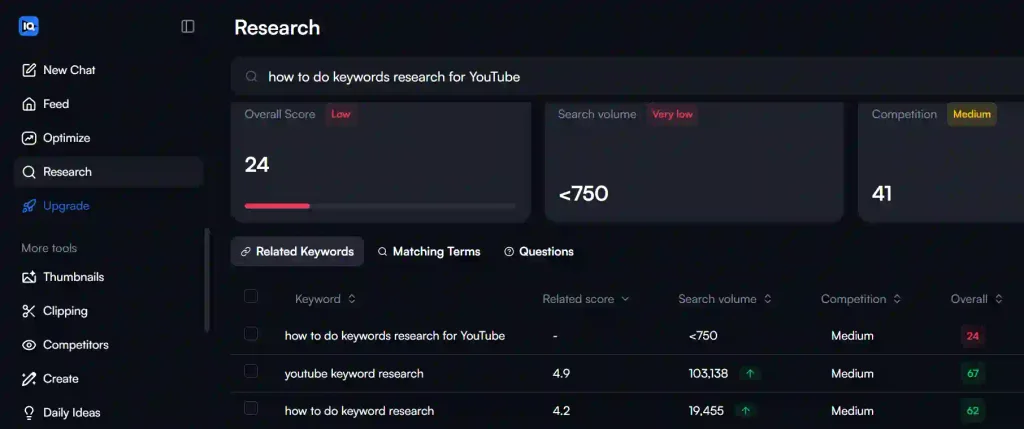
Spend most of your research time on content gaps rather than high-volume terms. Ranking for a broad query with ten strong videos in place is slow work for a channel without authority on the subject, while filling a gap nobody has answered properly moves faster even when the volume looks modest.
How do you qualify a keyword before you commit?
Run the query through three checks before it costs you a video.
- Format match: Look at the top five results and decide honestly whether you plan to make that kind of video. A talking-head opinion piece against five tutorials is an uphill fight.
- Video intent on Google: Search the same term on Google. Carousels or video results prove the query has video intent and give your video a second surface to win on.
- Your own advantage: Watch the current top result. Being unable to name a specific way your version will satisfy the searcher more completely is a reason to pick a different query.
Give each video one primary query. Serving five terms in a single upload produces a title nobody understands and a video that satisfies none of them.
How do you optimize a video for YouTube search?
Optimize in priority order rather than working through a checklist. YouTube states that title, thumbnail, and description are the more important pieces of metadata for discovery, while YouTube CTR helps show whether your packaging is earning clicks. Structure follows, in the form of chapters, captions, playlists, and end screens. Tags come last.
What makes a good video title?
A good title does two jobs at once: it matches the search, and it makes a specific promise.
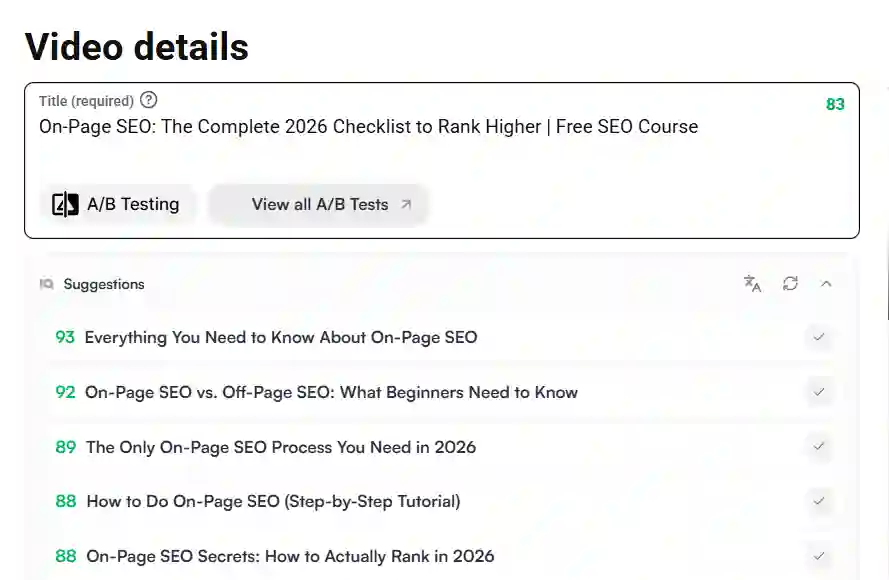
Matching comes first. Somebody typing “how to add subtitles to a video” should see those words, or something close, in your title, and leading with the phrase protects both the match and the scan.
The promise comes second. “How to Add Subtitles to a Video in 3 Minutes” tells a viewer what they get and roughly what it costs them. “Subtitles Explained” tells them almost nothing, which is why it earns fewer clicks at the same ranking position.
Around 60 characters survives on most surfaces before truncation, and a title that reads as a fragment on a phone loses clicks the ranking had already earned. Resist overselling too, because exaggerated titles lift click-through rate briefly, then retention drops, and retention decides whether the ranking holds.
How should you write a video description?
Viewers see only the first two lines before the description collapses, so those lines carry most of the weight. Use them to confirm what the video delivers rather than to introduce your brand.
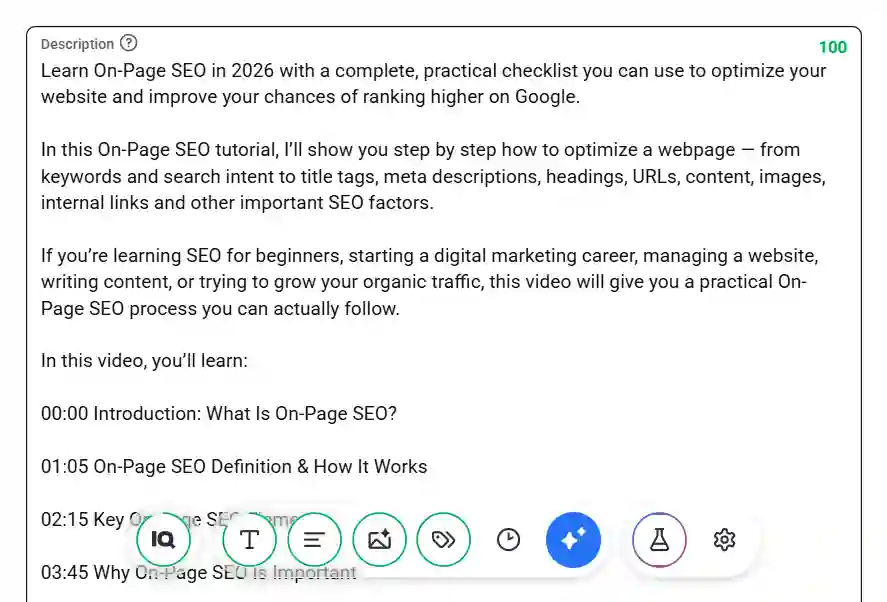
Everything below the fold still earns its place. Context on the topic, your chapter list, and links to anything you mentioned all belong there, because anyone who scrolled that far is genuinely interested.
Keyword repetition achieves nothing. Excessive tags added to a description can even breach YouTube’s spam policies. A well-optimized YouTube video description should provide useful context, support the video’s relevance, and help viewers understand what they will get from watching.
Do YouTube tags still matter?
Tags play a minimal role in discovery. YouTube tags can help clarify misspellings and variations, but title, thumbnail, and description remain more important metadata signals for discovery.
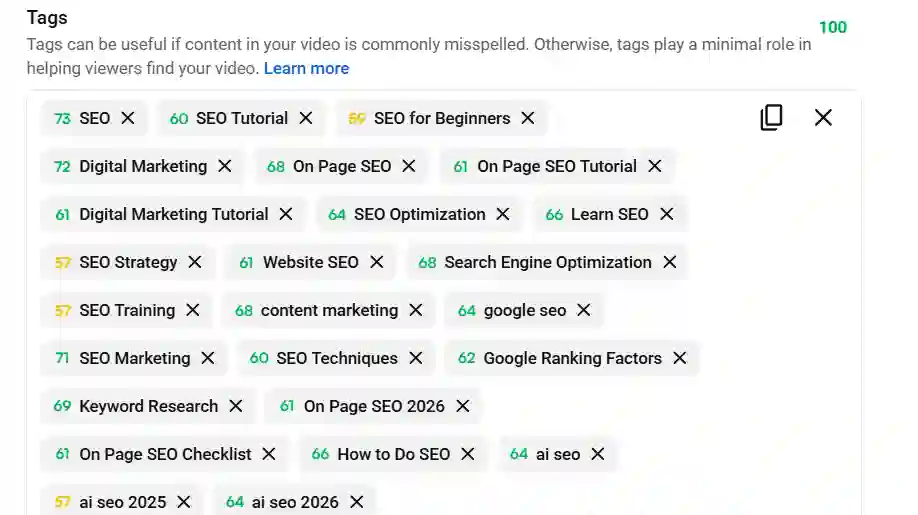
One legitimate use survives. YouTube points out that tags help when the content of your video is commonly misspelled. A product called Squarespace gets typed as “square space” often enough to justify a tag covering it.
Tags, hashtags, and keywords also get confused with each other, which is part of why the myth survives:
- Tags: A private field inside YouTube Studio that viewers never see.
- Hashtags: Public links that appear in your title and description.
- Keywords: The search phrases you are targeting, which belong in the title and description rather than a tag box.
Add a handful of accurate tags and spend the saved time on your thumbnail.
How much does the thumbnail affect ranking?
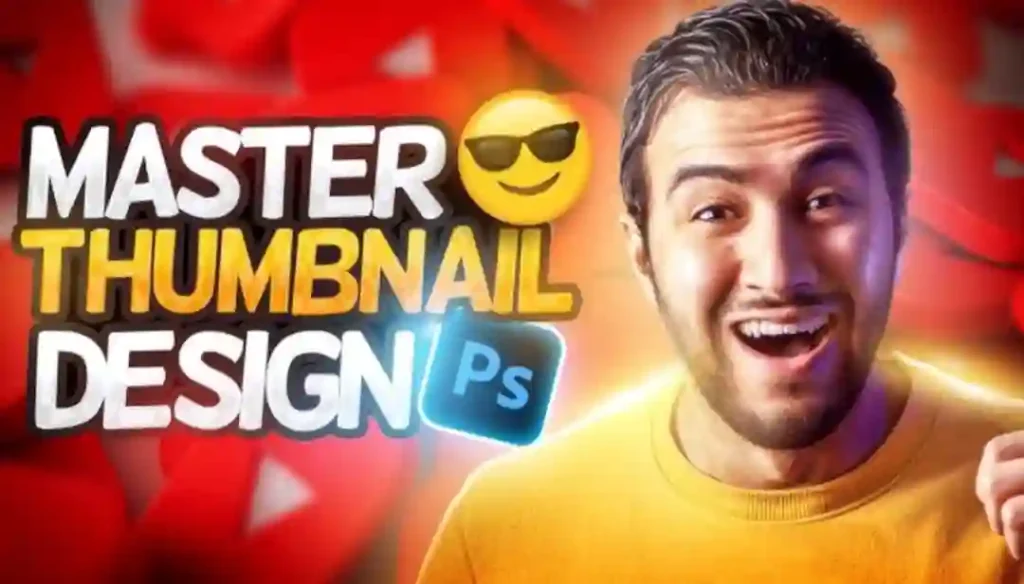
No thumbnail has ever ranked a video by itself. What a thumbnail decides is whether a ranking becomes a click, and clicks are how a video generates the engagement evidence YouTube needs to rank it further.
Follow the mechanics through. YouTube shows your video to a thousand people, forty click, and those forty either watch or leave. Their behavior decides whether the next thousand ever see it, so a weak thumbnail starves the process before it starts.
Design for a phone screen, since that is where most impressions happen, and remember that three or four large words work where a paragraph of small text disappears. Treat the title and thumbnail as one message: a video called “How to Fix a Slow WordPress Site” gains nothing from a thumbnail reading “Slow WordPress Site” and gains a lot from one showing a page speed score before and after.
Why do chapters matter?
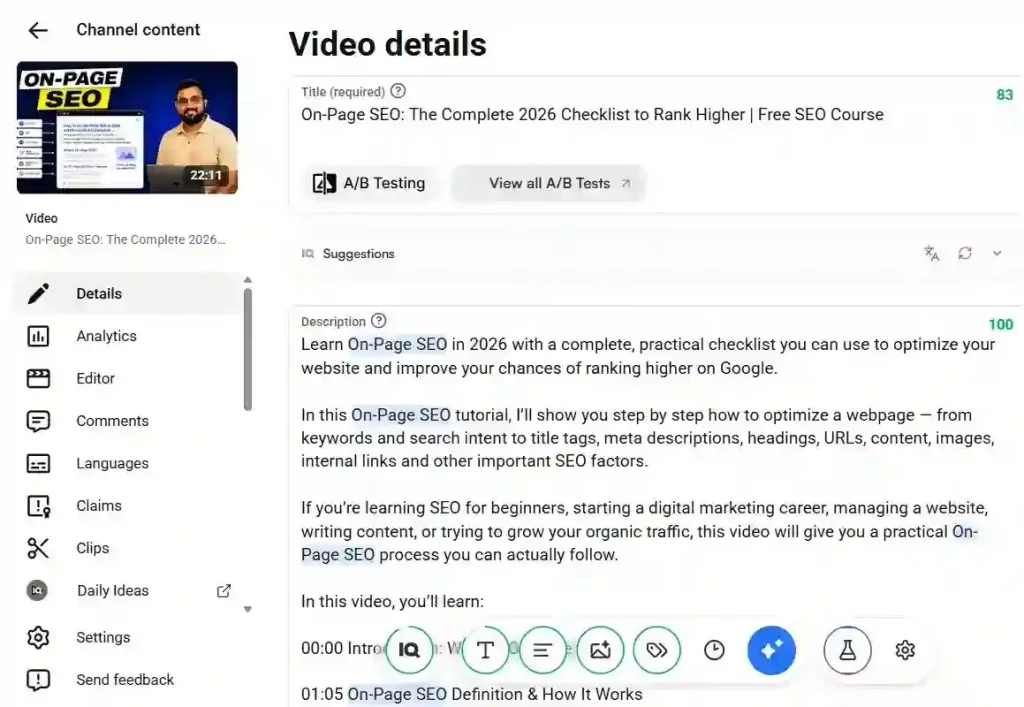
Chapters split a video into labeled sections viewers can jump between, and those same labels make the video eligible for key moments in Google Search. Anything over five minutes improves immediately, because nobody has to drag the progress bar hunting for the part they came for.
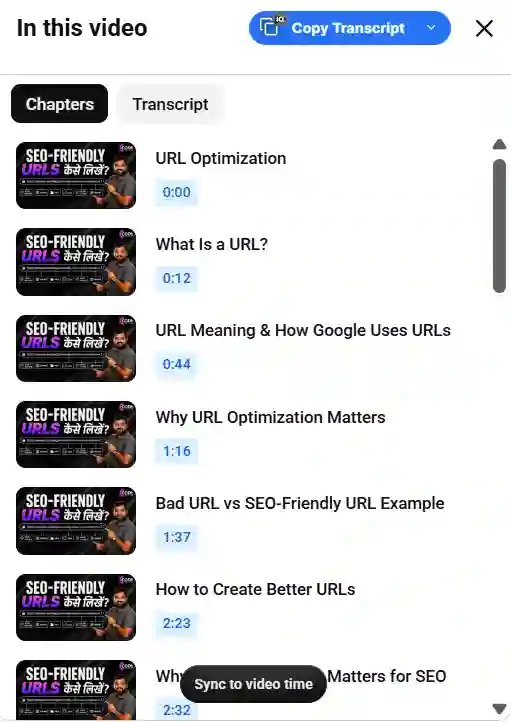
YouTube chapters follow a few specific requirements. Your first timestamp must be 00:00; you need at least three timestamps in ascending order, and each chapter must run for at least 10 seconds. Miss any of those and the feature will not activate. Manual chapters override the automatic ones YouTube generates, which gives you control over where sections begin and what they are called.
Label them descriptively. “Setting up the tracking code” helps a viewer decide where to click, and “Part 3” helps nobody. Retrofitting chapters onto videos that already earn impressions is one of the fastest wins available, because the ranking exists and structure is the only thing missing.
Do captions and transcripts help?
Captions turn everything said in your video into text that can be read, matched, and quoted, which supports relevance and widens who can watch at the same time.
Automatic captions get you most of the way but are not a finished job. Brand names and technical terms produce consistent errors, and a tool called Ahrefs regularly comes out as “a refs” in an auto transcript, which then appears to be the topic of your video. Reviewing and uploading a corrected file takes minutes on a video that took hours.
Translation extends the same asset further. YouTube has been expanding auto-dubbing with more expressive speech and lip sync, which puts an audience in another language within reach of a video you already made.
How do playlists and end screens help?
Playlists and end screens work on the session rather than the individual video, and session behavior is what the recommendation surfaces reward once search has done its job. Grouping videos into playlists by topic also reinforces the subject focus YouTube reads at channel level, and end screens route a viewer to whichever video answers what their first one raised.
How do you measure YouTube SEO performance?
Judge search performance using YouTube Studio Analytics, especially impressions, impressions click-through rate, average view duration, and the share of traffic arriving from YouTube search. Subscriber count belongs on none of that list.
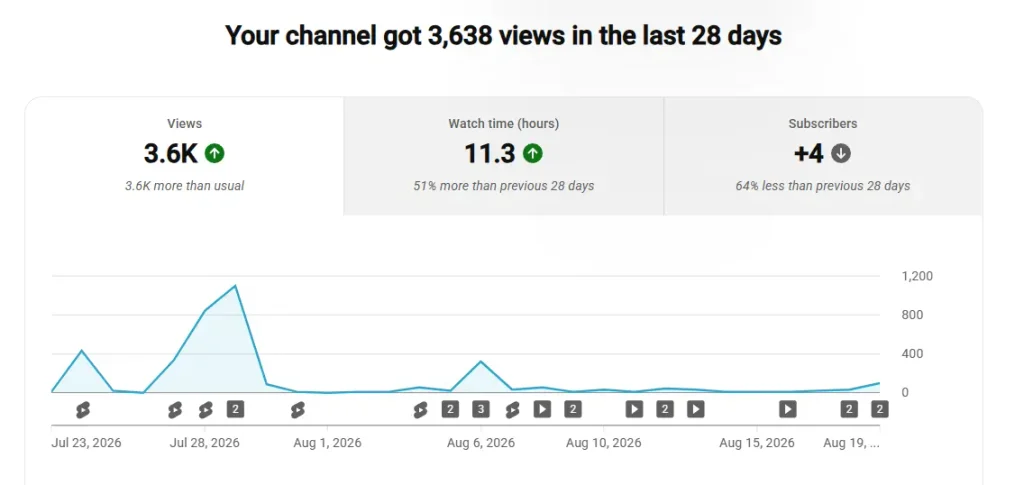
- Impressions: How often YouTube showed your video to anyone, which reveals whether it is being served at all.
- Impressions click-through rate: What share of those impressions became clicks, which measures your packaging.
- Average view duration: How long people stayed, which measures whether the video delivered on its promise.
- Traffic sources: Where the views came from, which separates search performance from suggested and browse.
Read average view duration alongside average percentage viewed, because percentage punishes a thorough twenty-minute tutorial and duration punishes a tight four-minute answer that did its job perfectly. Audience retention adds the detail those averages hide: a steep fall in the first thirty seconds usually means the opening did not match the title, and spikes partway through often mean viewers are using chapters to skip ahead.
Once you have those numbers, most diagnoses are quick:
- High impressions, low click-through rate: The packaging is the problem, so rework the title and thumbnail before touching anything else.
- High click-through rate, low retention: The video did not deliver what the title promised.
- Very low impressions: Either the topic has little demand or YouTube has not matched the video to a query.
- Strong search traffic, no suggested traffic: Viewers are finding the video but not staying with your channel afterward.
Check the search terms report last. Views frequently arrive from a query you never targeted, and that query is often the clearest content idea available to you.
How do you rank YouTube videos on Google?
Embed the YouTube video on a relevant page of your own site and add VideoObject markup to that page. Your video then competes on YouTube while your page competes on Google, which is the practical route for most marketing teams.
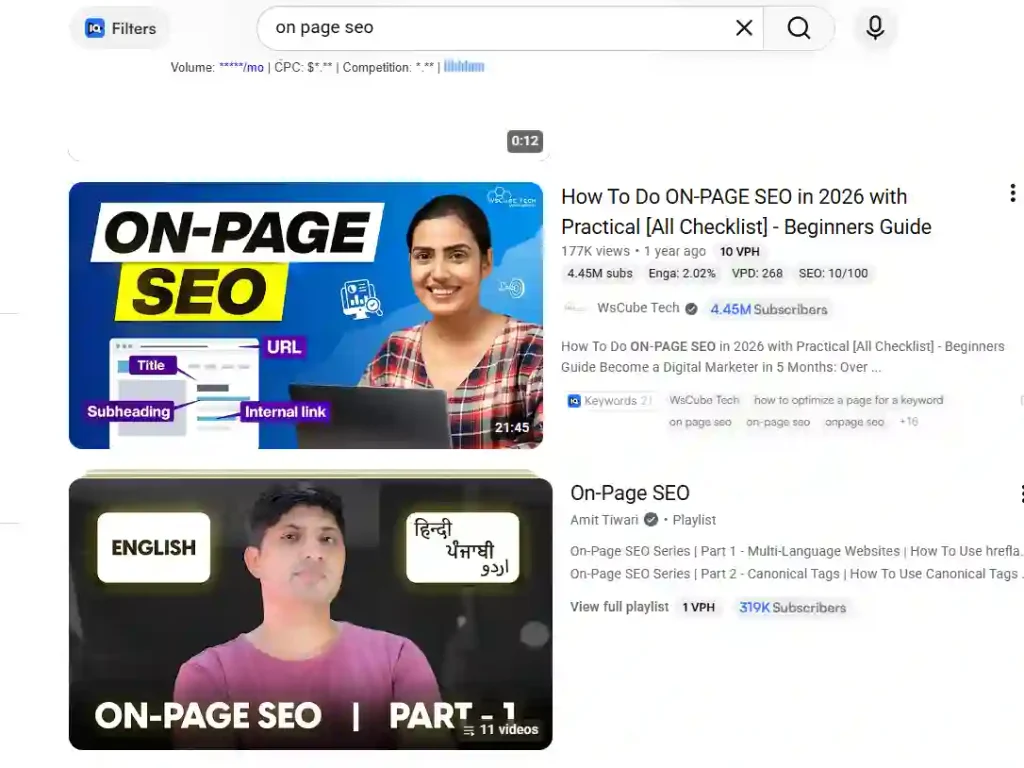
Google also surfaces YouTube videos directly in ordinary results, and can break one video into key moments, the clickable segments that turn a result into a menu. Detection is partly automatic, and for videos hosted on YouTube, Google can use the timestamps and labels written in your description. Chapters therefore buy visibility on two platforms from one piece of work.
Hosting video on your own site gives you more control, and Google supports two ways of defining key moments yourself:
- Clip structured data: Lets you name each segment and set its exact start and end time, which suits tutorials, recipes, and anything with clear stages.
- SeekToAction structured data: Tells Google how timestamps work in your URLs so it can identify moments itself, and it is supported in a limited set of languages.
Some housekeeping decides whether any of this works. Your video needs to sit on a public page where people can watch it, thumbnails must be reachable rather than blocked in robots.txt, and a video sitemap helps Google find those pages. Google also states plainly that markup does not guarantee a video feature: markup makes a video eligible, and eligibility is not placement.
How do you get videos cited in AI search?
Structure decides AI citations far more than popularity does. Otterly.ai analyzed YouTube citations across AI search platforms and found that views, likes, and subscriber counts showed no meaningful correlation with how often a video was cited.
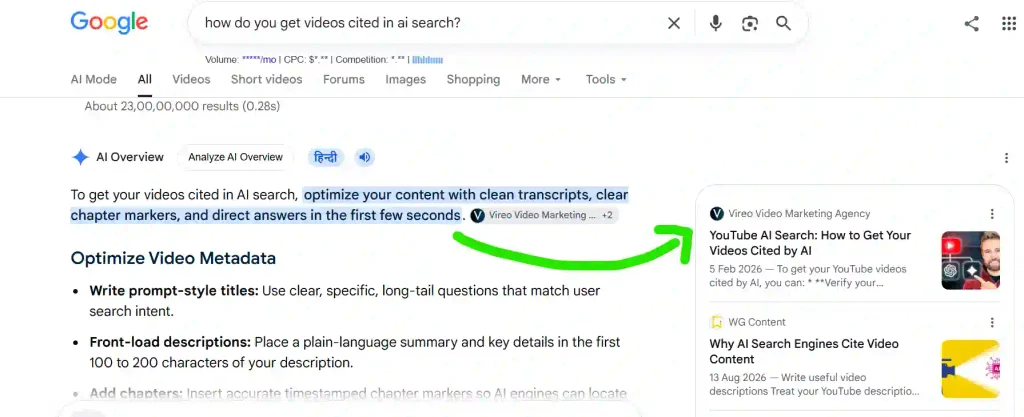
Format mattered a great deal in the same study. Around 94% of citations went to long-form, reference-style videos rather than Shorts, and timestamped citations appeared concentrated inside Google’s own AI products. A well-chaptered video gets quoted at a specific moment rather than as a whole.
Five production choices follow from that:
- Say the definition out loud: On-screen text gives a transcript nothing to work with, so speak the answer you want quoted.
- Answer one question per chapter: A section that resolves completely can be cited without the rest of the video around it.
- Upload a corrected transcript: Automatic captions carry errors that make your best explanations unquotable.
- Put the answer in the first two lines of the description: That text is easy to read and easy to attribute.
- Date your facts: A figure with a source and a year is far more likely to be treated as reliable.
YouTube is moving the same way internally. At Google I/O 2026 it introduced Ask YouTube, a conversational search experience built for complex questions and follow-ups, which has since expanded beyond its Premium-only test. Search on the platform is becoming a question-and-answer surface, and it rewards the same structure.
One limit deserves stating honestly. This research comes from a vendor measuring a defined window and shows correlation rather than proof of cause, so treat it as a strong signal and apply the structural advice on its own merits.
Does YouTube SEO work for Shorts?
Partly. Shorts are discovered mainly through a swipe feed rather than a search box, so the first two seconds carry the weight that packaging carries in long-form, and metadata influences less of the outcome.
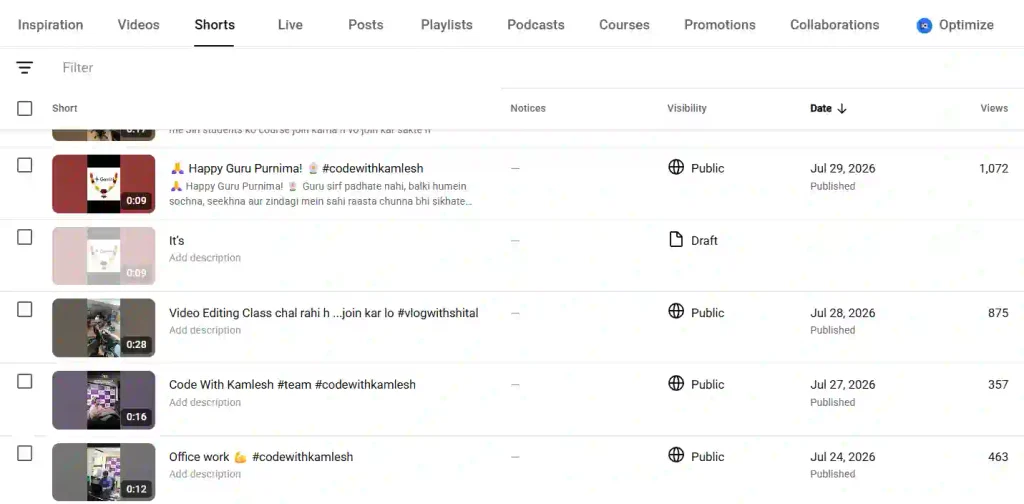
Some of the work still transfers. An accurate title, a description that says what the Short covers, and a genuine topic match all help, because Shorts do appear in search results and still need to be understood. Short-form video also has its own discovery patterns that are worth understanding. Chapters, long descriptions, and deep keyword targeting have nowhere useful to go on a thirty-second clip.
Otterly.ai finding that the large majority of AI citations went to long-form video is a further reason to treat Shorts as reach and testing rather than reference material. Use them to learn which topics pull attention, then answer the winning ones properly in long-form.
What are the most common YouTube SEO mistakes?
Channels tend to lose visibility to the same handful of errors, and most are cheap to correct.
- Relying on tags: YouTube states they play a minimal role, yet they still absorb hours that belong to the thumbnail.
- Targeting five keywords at once: The resulting title serves nobody and matches no query cleanly.
- Judging success by subscriber count: Impressions, click-through rate, and retention explain search performance, and subscriber count does not.
- Choosing queries with no video intent: Some questions are answered better by a page, and no amount of optimization changes that.
- Skipping chapters: Missing chapters forfeit viewer navigation and key moment eligibility in Google at the same time.
- Uploading more when retention is poor: Publishing twice as often doubles the number of videos people leave early.
Where should you start?
The fastest YouTube SEO gains sit in videos you have already published, so fix the ones already earning impressions before making anything new. A video YouTube is already serving has proven demand attached to it, which means improving it pays back faster than starting from zero.
- Open Analytics, go to Traffic sources, and list the videos already receiving views from YouTube search.
- Check impressions click-through rate and average view duration on those videos to separate a packaging problem from a content problem.
- Rewrite titles and descriptions to match the queries showing up in the search terms report.
- Add chapters and a corrected transcript to your five strongest performers.
- Choose the next video’s primary query from a content gap in Studio rather than from a keyword tool.
- Publish, wait 28 days, then measure against the same four metrics.
FAQs
1. How long does YouTube SEO take to work?
Search visibility usually builds over weeks rather than days. YouTube needs enough impressions and watch data to judge a video, so newer channels generally wait longer than established ones.
2. Does upload frequency affect YouTube rankings?
Frequency is not a search ranking factor. Publishing more often creates more chances to rank and more data to learn from, but a weak video does not rank because it arrived on schedule.
3. Can a small channel outrank a large one in YouTube search?
Yes. Search ranks on relevance and engagement for a specific query, so a smaller channel with a closer topic match and stronger watch time can beat a much larger one.
4. Should I use the same keywords on YouTube and Google?
Check both before deciding. YouTube queries tend to be longer and more conversational. Where Google shows video results for a term, the intent usually overlaps enough to reuse it.
5. Do hashtags help videos rank on YouTube?
Hashtags mainly aid categorization and browsing rather than ranking. They appear as links in titles and descriptions, so two or three relevant ones are plenty, and stuffing them risks a policy problem.
Build visibility on every surface where people search
What changed about YouTube SEO is the return on doing it properly, not the definition of properly. Relevance, engagement, and quality decided rankings before AI Overviews existed and decide them still. The difference is that a video answering one question clearly can now pay off in YouTube search, in Google key moments, and inside an AI answer at the same time.
Chapters make that concrete. Ten minutes of work improves navigation for viewers, gives YouTube a clearer map of your video, and creates the timestamped segments Google’s AI products cite. Few tasks pay off in three places at once.
Think in surfaces rather than rankings. Pick a question people genuinely search for, package it honestly, structure it so both a viewer and a machine can follow it, then let impressions, click-through rate, and retention decide what you make next.
Also Read: How to Get 4,000 Watch Hours on YouTube Faster: Top 10 Hacks