


More than 20 million videos get uploaded to YouTube every day, according to YouTube’s press page. A viewer landing on your channel takes seconds to decide whether you are worth a subscription.
Behind that, the platform runs a judgment of its own, and YouTube’s search documentation states that the quality signal in its ranking system identifies which channels demonstrate expertise, authoritativeness, and trustworthiness on a topic.
YouTube channel optimization covers both of these areas. While most of the focus usually goes to titles and thumbnails, your channel page and settings also play an important role.
Below, we’ll cover the main channel-level settings and assets available in YouTube Studio Analytics, explain what each one affects, and show you how to check whether your changes are making a difference.
What is YouTube Channel Optimization?
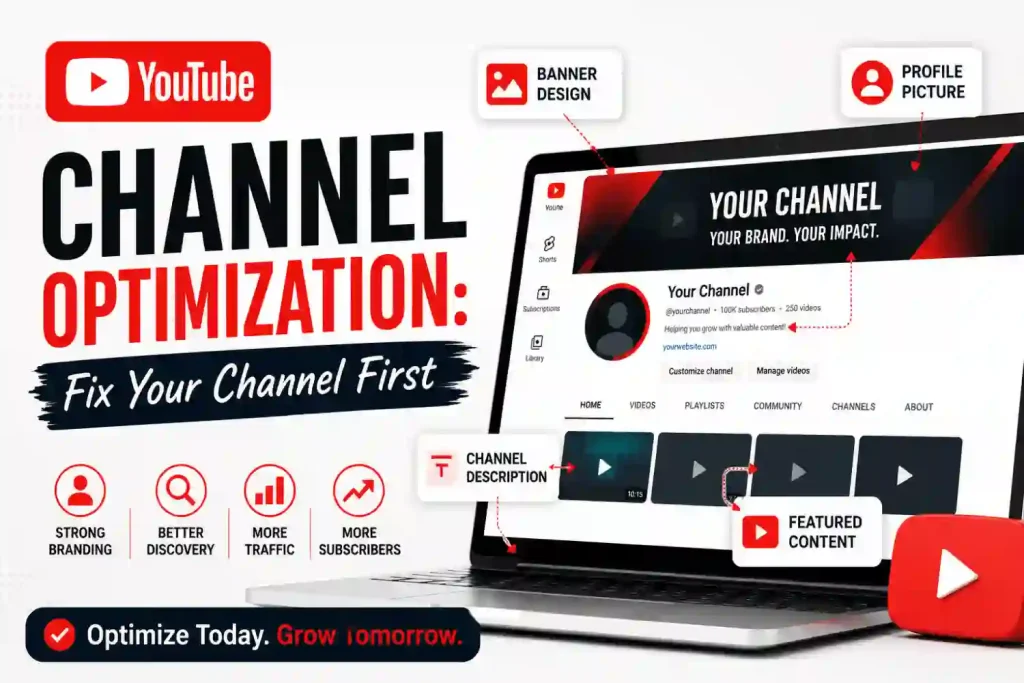
YouTube channel optimization is the process of configuring your channel name, handle, description, keywords, branding, and Home tab layout so viewers understand what your channel offers and YouTube understands your main topic. These elements are also part of a broader YouTube SEO strategy.
These elements apply to your channel as a whole, not to any single video.
YouTube Channel Optimization vs Video SEO
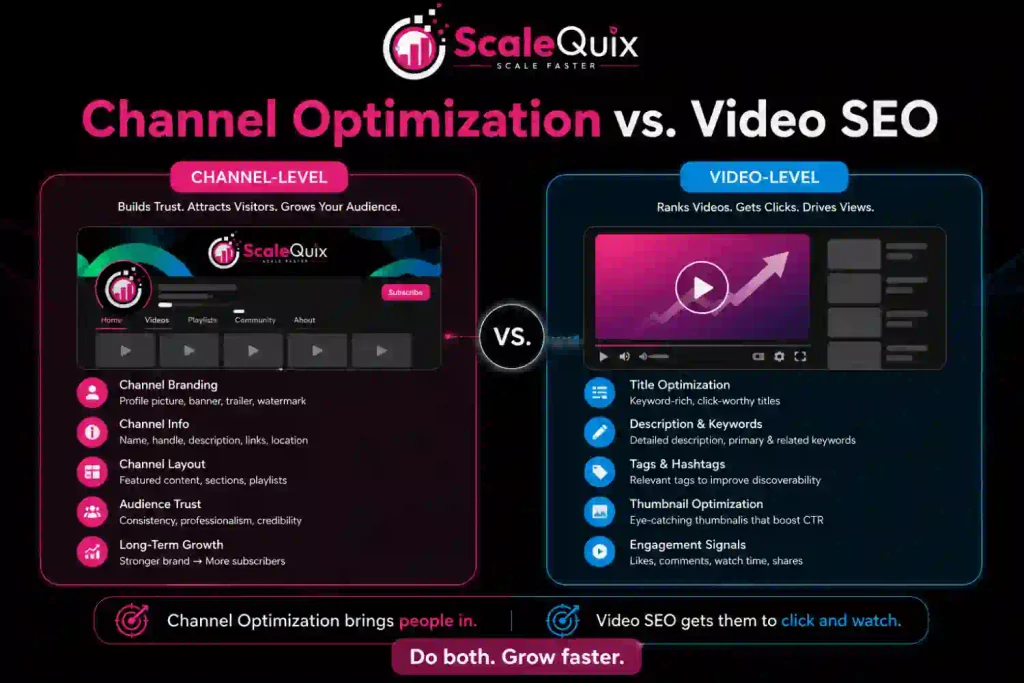
Video SEO decides whether one upload gets found. YouTube channel optimization decides what happens to everyone who arrives afterward.
| Factor | Channel optimization | Video SEO |
| What it controls | Name, handle, description, keywords, banner, Home tab | Title, description, tags, thumbnail, chapters |
| Where it appears | Channel page, channel search results, subscribe decision | Search results, suggested videos, browse feed |
| How often it changes | Set once, reviewed quarterly | Every upload |
| What it moves | Subscriber conversion and topical clarity | Impressions and clicks on one video |
Both matter, and the split depends on where you are losing people. Channels earning impressions but almost no subscribers have a channel page problem. Getting no impressions in the first place points to a video problem instead, and no amount of banner work will fix that.

Why Your Channel Page Decides Who Sees Your Videos
Your channel page carries two jobs at the same time: it converts a first-time visitor into a subscriber, and it tells the YouTube algorithm what subject you publish on consistently.
YouTube Help explains that search results are prioritized on relevance, engagement, and quality, and describes quality as a channel-level assessment of expertise, authoritativeness, and trustworthiness.
Publishing 40 videos across 9 unrelated subjects gives the platform nothing solid to attach you to. 40 Videos on commercial roofing gives it plenty. Consistency at the channel level is the part of YouTube channel optimization that no single upload can carry on its own.
What a first-time visitor actually sees
Open your channel in a logged-out incognito window right now. If you’re learning how to grow a YouTube channel fast, this is a simple check to see what new visitors actually experience.
Non-subscribers first see your banner and profile picture. Then they see the first line of your description, your first link, the channel trailer, and the sections you’ve added. Most channel owners have never seen that version of their own page. Checking it takes thirty seconds and usually produces the first three items on your fix list.
Channel Name, Handle, and URL
Your channel name is the display name viewers read, while your handle is the unique @ identifier that also forms your channel URL. Both are separate fields in YouTube Studio under Customization, Profile.
How to choose a handle you can keep
Choose the handle matching the name people already use to search for your business, because handles are harder to move than they look. YouTube states you can change your handle twice within a 14-day period, and your previous handle stays reserved for 14 days before becoming available to anyone else.
Three rules keep this simple:
- Match everything else: using the same handle on YouTube, Instagram, and your website means one search finds all three.
- Drop the decoration: removing words like official, HD, and trailing numbers makes a handle easier to say out loud.
- Claim it early: good handles get taken by dormant accounts, so register yours before you need it.
How to write a channel description that earns subscribers
Your channel description should open by naming what you publish and who it is for, using the words a stranger would use rather than your internal ones.
Compare two openings for a two-location dental clinic. “Welcome to our channel, where we share our passion for smiles” tells a visitor nothing. “Straight answers about root canals, implants, and dental costs, from two dentists in practice for eleven years” tells them the subject, the format, and why these people are worth trusting.
Repeat your main subject naturally in the first two lines. Search engines pull that text, and so does the channel result inside YouTube search.
Structure the rest in three short blocks:
- What you publish
- Who it serves
- Why you are credible
- What to do next
Viewers see only the opening line before the description expands, so credibility and the call to action can sit lower without losing their effect. Skip the upload schedule unless you genuinely keep it, because a stale promise of new videos every Tuesday costs more trust than no schedule at all.
Links, contact details, and where they go
YouTube confirms you can display up to 14 links on your channel Home tab, with the first appearing prominently near the subscribe button. Sequence beats volume here.
Put the link you want clicked in position one, whether that is a booking page, a pricing page, or a lead magnet. Reserve the rest for social profiles. Businesses should also fill the contact email field, since that is where sponsorship and partnership requests arrive.
The Channel Settings Most People Never Open
Three settings live under Settings, Channel inside YouTube Studio, and each supplies information the platform cannot infer on its own.
- Country of residence: Eligibility for the YouTube Partner Program depends on this setting, so getting it right matters beyond localization.
- Keywords: Use the best YouTube SEO tools to find relevant terms for your main subject, subtopics, content format, and brand name. Add the most relevant terms here.
- Audience: Declaring whether your content is made for kids applies to existing and future videos, and leaving it unset means restrictions plus a requirement to label every video individually.
Do channel keywords still matter?
Channel keywords remain a documented field under Settings, Channel, Basic info, but YouTube publishes no claim that filling them improves rankings. Treat them as a low-cost clarity signal rather than a growth lever, and expect no measurable jump from the field alone.
Five to ten terms covering your subject, your format, and your brand name are enough. A commercial roofing channel might use commercial roofing, flat roof repair, roof inspection, contractor tips, and the business name.
Profile Picture, Banner, and Watermark
Three branding assets carry your channel identity, and each one has a job.
- Profile picture: Use a square logo or a tight face crop that stays legible at roughly 48 pixels, because that is the size it renders at in comments and search results.
- Banner: Treat it as the largest surface a new visitor sees, remembering that YouTube crops it differently on televisions, desktops, tablets, and phones.
- Watermark: Turn it into a clickable subscribe prompt sitting on every video you own.
Banner size and the safe area
| Specification | Value |
| Minimum upload size | 2048 x 1152 px, 16:9 |
| Recommended upload size | 2560 x 1440 px |
| Safe area for text and logos | 1235 x 338 px |
| Maximum file size | 6 MB |
Those figures come from YouTube Help, which also advises against adding shadows, borders, or frames.
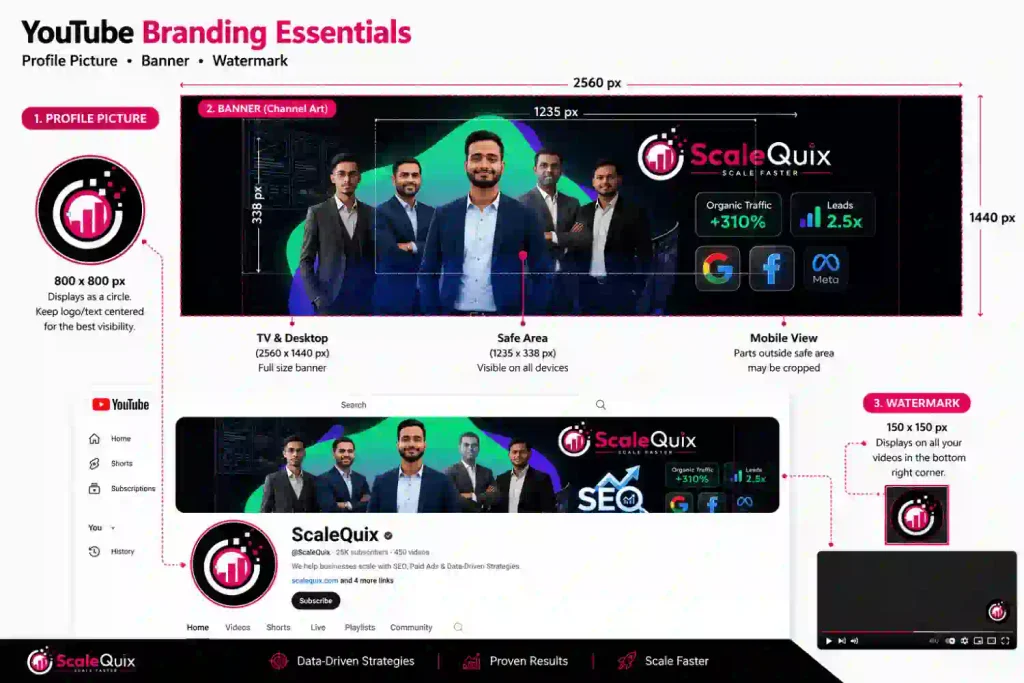
Only the safe area survives on every device. Anything outside it, including a logo pushed to the left edge or a tagline running the full width, disappears on mobile. Design from the center outward and preview the result in Studio before publishing.
The watermark most channels leave empty
A video watermark is a small image displayed across your videos that viewers can click to subscribe. It can appear during the last 15 seconds, from a custom start time, or throughout the entire video.
Upload it once, and it applies to your whole library, including videos published later.
How to set up your channel Home tab?
- Home tab: Set up your Home tab like a landing page.
- Channel trailer: Add a trailer for non-subscribers.
- Spotlight video: Add a spotlight video for returning subscribers.
- Section order: Arrange sections in the order a stranger needs them rather than the order you published them.
Trailer and spotlight video
A channel trailer plays automatically for people who have not subscribed, and a spotlight video shows to returning subscribers instead. Once a viewer watches either one, it will no longer be shown to them.
Keep the trailer between 30 and 60 seconds. Name the audience in the first five seconds, state what you publish and how often, then stop.
Sections and playlists
YouTube Help confirms the Home tab supports up to 12 custom sections and defaults to four: Short videos, Uploads, Created playlists, and public Subscriptions. Replace the defaults.
Build sections around the questions your audience arrives with. Our roofing channel would lead with a “Start here” playlist, follow with “Flat roof problems”, then “Cost breakdowns”, and leave recent uploads further down. Grouped playlists also support watch time, because a finished video rolls into a related one instead of ending in an unrelated suggestion.
How to Measure YouTube Channel Optimization
Open YouTube Studio, select Analytics, then Reach, then the traffic source types report. YouTube Help describes this report as the breakdown of how viewers found your content, and the Channel pages row is the one tied directly to this work.
Watch the number over 60 to 90 days rather than 60 to 90 hours. Channel-level changes compound quietly as more people arrive from search, suggestions, and external links.
Set a baseline before you change anything. Screenshot your traffic source breakdown and subscriber count on the day you start, because Studio will not tell you later what the page looked like beforehand.
Three checks worth running this month
- Channel page traffic: Compare traffic from the 90 days before and after your changes in Advanced mode.
- Brand search results: Search your brand name on YouTube and check whether your channel result now appears above your video results.
- New vs. returning viewers: Open Analytics → Audience and compare new and returning viewers, since a clearer channel page should help more new viewers come back.
None of these are vanity numbers. Each one tells you whether strangers are converting into repeat viewers, which is the entire point of YouTube channel optimization.
Frequently asked questions
1. What is YouTube channel optimization?
YouTube channel optimization means configuring your channel name, handle, description, keywords, branding, and Home tab layout so viewers understand your offer instantly and YouTube can classify your channel topic accurately.
2. How long does YouTube channel optimization take to show results?
Expect 60 to 90 days before traffic patterns shift meaningfully. Channel changes affect every future visitor rather than one upload, so results accumulate gradually instead of spiking after publishing.
3. Does YouTube channel optimization increase subscribers?
Yes, when your channel already receives impressions. A clearer description, trailer, and section layout raise the share of visitors who subscribe, though optimization cannot create traffic that does not exist.
4. What size should a YouTube channel banner be?
Upload at 2560 x 1440 pixels, keeping text and logos inside the central 1235 x 338 pixel safe area. YouTube accepts 2048 x 1152 minimum, 6 MB maximum.
5. How often should you redo YouTube channel optimization?
Review your channel page quarterly, and immediately after any change to your services, positioning, or content format. Handles, descriptions, and section order drift out of date quickly.
Conclusion
Fix your channel page before working on another thumbnail. Individual videos earn impressions, but your channel page helps turn viewers into subscribers and returning viewers.
Start with an incognito test, improve the first line of your description, and then organize your Home tab sections. These three changes can give your future videos a better channel experience.
Treat YouTube channel optimization as something you set up properly and review each quarter, rather than something you keep putting off until your next upload.
Also Read: How to Get 4,000 Watch Hours on YouTube Faster: Top 10 Hacks