


TL;DR: Write a YouTube video description in five moves. Open with a hook or a question about the problem your viewer has in the first two lines. Add a value paragraph next, with your focus keyword placed naturally. Put your timestamps in the third block. Add your links after that. Close with one call to action and three or four hashtags.
How long did you spend on the description of your last upload? Your description does three jobs at the same time: it tells YouTube what the video is about, it gives people a reason to click in search results, and it keeps viewers moving through the video instead of leaving early.
YouTube gives you 5,000 characters for that box, and its own creator guidance says descriptions written with the words your audience searches help people find your videos. Very few channels use the space properly. Below is the exact order to write a YouTube video description that supports your YouTube SEO strategy, from the first two lines to the hashtags at the bottom, using the rules YouTube actually publishes.
What is a YouTube Video Description?
A YouTube video description is the block of text under your video that tells viewers and YouTube what the video covers. Only the first few lines show on the watch page. Everything else stays hidden until someone taps Show more, so those opening lines carry far more weight than the rest of the block.
YouTube allows a maximum of 5,000 characters in the field, and its tips for video descriptions recommend giving every video a unique description so each one is easier to find through search. Find the field in YouTube Studio by selecting Content and clicking any video.

Do Descriptions Really Get you More Views?
Descriptions do not make a video go viral on their own. What a good one changes is how the YouTube algorithm understands the video, who gets shown the video, and what those people do once they arrive.
Three things move:
- Discovery: YouTube matches what people type into search against the text in your description, so your wording decides which searches your video is even eligible for.
- Clicks: Your opening lines sit next to your title on the watch page and in results, and they either give someone a reason to press play or they do not.
- Retention: Timestamps let viewers jump straight to the part they came for instead of backing out to find a different video.
Nothing written in a description rescues a video that does not deliver. Real gains come from a specific description on a video people finish, because YouTube keeps recommending videos that satisfy the viewers who click them.
How to Write a YouTube Video Description Step by Step
Writing a YouTube video description takes seven steps: open the field in YouTube Studio, hook the first two lines, add a value paragraph, list your timestamps, add your links, close with a call to action and hashtags, then save the repeating parts as a default.
Step 1: Open the description field in YouTube Studio
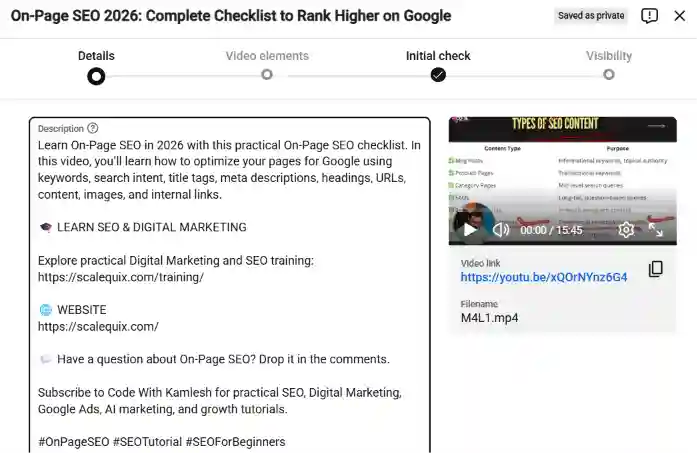
Sign in to YouTube Studio, select Content in the left menu, click the video you want to edit, and write in the description box under the title. Working here instead of in the mobile upload flow lets you see the whole block at once, check your line breaks, and preview how the opening looks before you save.
Step 2: Hook the first two lines
Open with a question or a short statement that names the problem your viewer has right now. A tutorial on YouTube CTR can start with a plain question such as “What Is YouTube CTR? How to Boost Yours Step by Step ” and anyone searching for that answer recognizes their own situation immediately.
Keep those two lines free of links, greetings and channel names. YouTube does not publish a fixed character count for where the text gets cut off, because the cut-off moves with screen size. Open one of your published videos on a phone and on a desktop, note where the text stops, and write to fit the shorter of the two.
Step 3: Add the value paragraph
Use your second paragraph to say what the viewer will be able to do after watching, and introduce the main terms in the words people actually search. Two or three sentences is enough.
Place your focus keyword here, inside a sentence you would have written anyway. YouTube’s own advice is to pick one or two main words that describe the video and feature them in both the title and the description. Repeating a phrase six times does not help, and a sentence bent around a keyword reads badly to the person deciding whether to watch.
Not sure which words to use? Open YouTube Studio Analytics, then select the Trends tab and review the top searches for your audience over the last 28 days. Those are real phrases your existing viewers typed, which makes them safer bets for a YouTube video description than anything guessed at the upload screen. Search your own topic in the same tab, and YouTube will show you what people looked for and could not find.
Step 4: List your timestamps
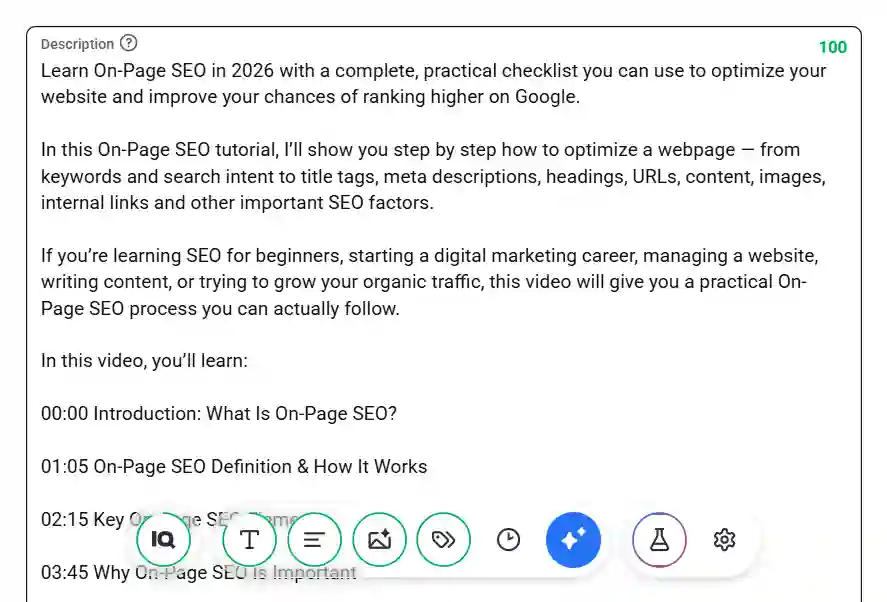
Add your timestamps as a labeled list, one per line, so YouTube turns them into chapters. Chapters have three requirements set out in YouTube’s video chapters documentation: the first timestamp has to start at 00:00, you need at least three timestamps in ascending order, and each chapter has to run for a minimum of ten seconds.
That ten-second minimum catches more creators than any other rule. One section that runs eight seconds is enough to stop the whole set from turning into chapters, and nothing in Studio warns you.
Check your work after saving. Reload the watch page and look at the progress bar. A segmented bar means your chapters are live, and a solid bar means one of the three rules was missed.
Label each timestamp the way a viewer would describe that section, not the way you edited it. “301 Redirects Explained” tells someone what they are jumping to. “Part 4” tells them nothing.

Step 5: Add the links viewers need
Put your links below the timestamps, most relevant first. Something mentioned inside the video goes at the top, followed by a related video or playlist, then your website, then your social profiles.
Restraint matters here. YouTube’s spam policy treats content built mainly to push viewers off the platform as spam, and a wall of twenty links buries the two that people would have clicked. Four to six is usually plenty.
Step 6: Close with a call to action and three or four hashtags
Finish with one instruction, then three or four hashtags. One instruction outperforms four competing ones, so pick between subscribing, watching the next video, and downloading whatever you offered.
Hashtags carry two published rules worth knowing. YouTube ignores every hashtag on a video that carries more than 60 of them, and out of everything you add, up to three of the most engaging ones appear next to your title. Adding fifteen changes nothing about what viewers see, so three or four relevant ones do the whole job.
Skip the block of comma separated keywords at the bottom. YouTube states directly that ordinary descriptive tags and repetitive sentences in the description are not allowed, and that rule sits inside the same policy that covers hashtags.
Step 7: Save the repeating parts as an upload default
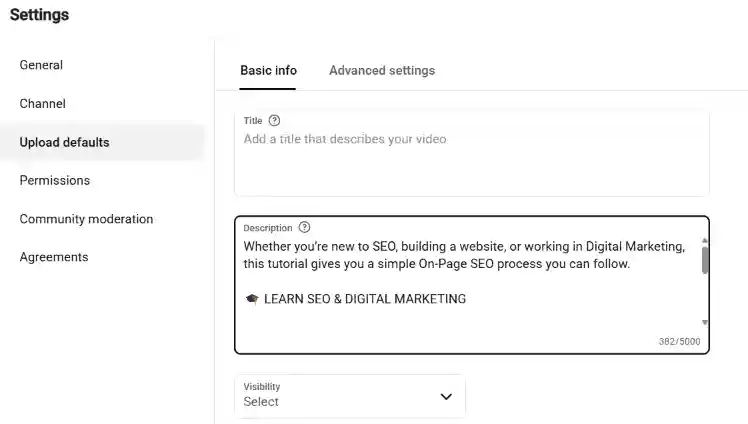
Copy your links, your call to action and your hashtags into YouTube Studio under Settings, then Upload defaults, so every new video starts with them already in place. Your hook, value paragraph and timestamps stay custom, which is where the actual work belongs.
One limitation is worth knowing before you rely on it. Upload defaults only apply to videos uploaded through your browser, so anything you upload from the Studio mobile app arrives with an empty description.

YouTube Video Description Template
Copy this structure and fill it in. Every block below matches one of the steps above.
[Line 1] Question or statement naming the problem the video solves.
[Line 2] What the viewer will be able to do after watching.
[Paragraph 2] Two or three sentences on what the video covers, written in
the words people search, with your focus keyword placed once, naturally.
In this video, you will learn:
00:00 Introduction
00:48 [Section name]
02:15 [Section name]
04:30 [Section name]
Resources mentioned in this video:
Related video: [link]
Free guide: [link]
Website: [link]
Subscribe for [topic] tutorials every week.
#Hashtag1 #Hashtag2 #Hashtag3
Two blocks change with every upload: your opening lines and your timestamps. Everything else stays fixed once you have written it well, which is what makes a good YouTube video description a five-minute job rather than a twenty-minute one.

Mistakes that Hold Your Description Back
Five habits cost more views than anything else in this box. Avoiding these mistakes is an important part of YouTube Channel Optimization.
- Copy pasting one description everywhere: YouTube recommends a unique description per video, and identical text gives its systems no way to tell your videos apart.
- Leading with links: A viewer who opens Show more and sees a wall of URLs learns nothing about the video, and your best two lines went to a shortened link.
- Chapters under ten seconds: One short section quietly disables chapters on the entire video.
- Keyword lists at the bottom: Stacking terms after your links breaks YouTube’s rule on repetitive descriptive text, and it does not improve rankings.
- Promising what the video does not show: Descriptions that oversell fall under malicious clickbait in YouTube’s spam policy, which carries warnings and strikes.
How to Write Descriptions for YouTube Shorts
Shorts use the same description field and the same 5,000-character limit, with far less of it on screen. Viewers see roughly one line before tapping, so your hook has to land in that one line rather than two.
Cut the timestamps, since chapters need at least three sections of ten seconds. Keep one link, one short sentence explaining the clip, and one or two hashtags. Everything else can wait for your long-form uploads.
Frequently asked questions
1. How long should a YouTube video description be?
There is no ideal length. YouTube allows 5,000 characters, and most tutorials need 200 to 400 words to cover a hook, a summary, timestamps and links. Write until the video is fully explained.
2. Do YouTube video descriptions affect SEO?
Yes. YouTube matches search terms against the text in your description, so your wording decides which searches your video can appear in. Descriptions support ranking, though how people watch still matters more.
3. How many hashtags should you use in a YouTube description?
Three to four is enough. YouTube ignores every hashtag on a video carrying more than 60, and only three of them ever appear beside your title, so extra hashtags add nothing for viewers.
4. Should every video have a different description?
Yes. Each video should carry its own description, which YouTube recommends so videos are easier to find and stand apart from similar ones. Keep your links and sign-off consistent, then rewrite the top.
5. Do timestamps help a video rank?
Timestamps create chapters, which help viewers reach the part they want and stay longer. Chapters need a 00:00 start, at least three entries, and a minimum of ten seconds for each section.
Start with your next upload
Rewriting every description on your channel is not the move. Apply this to your next upload, then work backward through your five best-performing videos, because those already get impressions and gain the most from a stronger opening and working chapters.
Give the first two lines more time than everything else combined. Those lines decide whether anyone reads the rest.
Also Read: Short-Form Video Marketing: What Actually Drives Reach